
Synchronous servo motion for industrial automation cam profiles
Synchronized Servo Motion with Cam Profiles in Industrial Automation
Understanding Cam Profiles for Servo Control
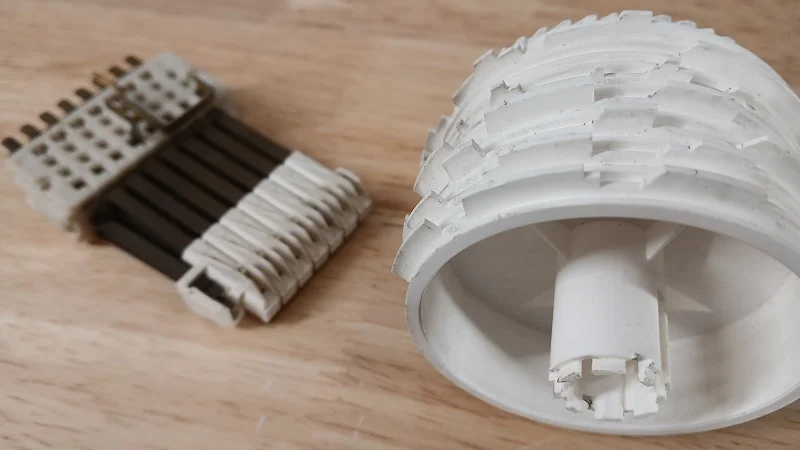
Cam profiles provide precise control over two servo axes, allowing one axis to follow a predefined path dictated by the other. In mechanical systems, cams use lobed disks to convert constant shaft rotation into complex follower motion. In industrial automation, this principle is replicated electronically to achieve highly accurate, repeatable motion without relying on sensors.
Electronic Cam Motion Explained
In an electrical motion system, a master axis drives a slave axis according to a cam profile. The Motion Axis Position Cam (MAPC) block interprets a profile array, mapping each master position to a corresponding slave position. When the MAPC block is active, the slave follows the master in real time, completing each motion cycle synchronously. This ensures coordinated motion in applications such as pick-and-place systems or automated assembly lines.
Configuring Cam Parameters for Industrial Automation
The MAPC block requires configuration of master and slave axes, motion direction, and execution type. Modes include continuous, one-time execution, or persistent engagement. Continuous mode is ideal for rotary systems, while persistent mode automatically engages the cam when the master is within the profile range. One-time execution runs until the cam boundary is reached, requiring a manual restart for the next cycle. These settings give engineers flexibility in factory automation deployments.
Master-Slave Synchronization and Execution Logic
To implement cam motion, logic must ensure the MAPC block transitions from false to true. The master axis can then be commanded to move, automatically driving the slave axis to each designated position at the correct speed. This eliminates the need for manual synchronization, reducing operator error and improving production efficiency.
Updating Cam Profiles During Runtime
Runtime profile adjustments use the Motion Calculate Cam Profile (MCCP) block. Before modifying a profile, the MAPC block must stop. Engineers can then update the profile array and re-execute the MCCP and MAPC blocks. This flexibility allows quick adaptation to changing production requirements without redesigning the entire motion system.
Designing Cam Profiles with Studio 5000
Studio 5000 provides a cam profile editor for defining master and slave positions offline. Engineers should use cubic motion segments, especially for direction changes, to ensure smooth velocity transitions. Using CAD simulation tools can further improve profile accuracy, allowing engineers to visualize and refine axis paths before deployment.
Benefits and Considerations in Industrial Automation
Cam profiles offer high-speed, repeatable motion without constant sensing, reducing cycle times in automated systems. However, they require careful simulation and planning. Systems needing dynamic adaptability may benefit more from coordinated motion profiles, which provide greater flexibility in changing motion sequences.
Author Insight: Optimizing Factory Automation with Cam Profiles
From experience, cam profiles excel in applications where speed and repeatability outweigh flexibility. While setup and simulation demand effort, the efficiency gains in high-throughput production lines justify the initial engineering investment. Engineers should balance complexity with performance goals when selecting motion strategies.
Solution Scenarios in Factory Automation
Cam profiles are ideal for assembly lines, packaging stations, and material handling systems. For flexible robotic or CNC applications, coordinated motion profiles may offer superior adaptability. Implementing cam profiles in combination with PLC or DCS control systems ensures seamless integration and real-time synchronization across multiple axes.

No Comments